PRPL SOLUTIONS
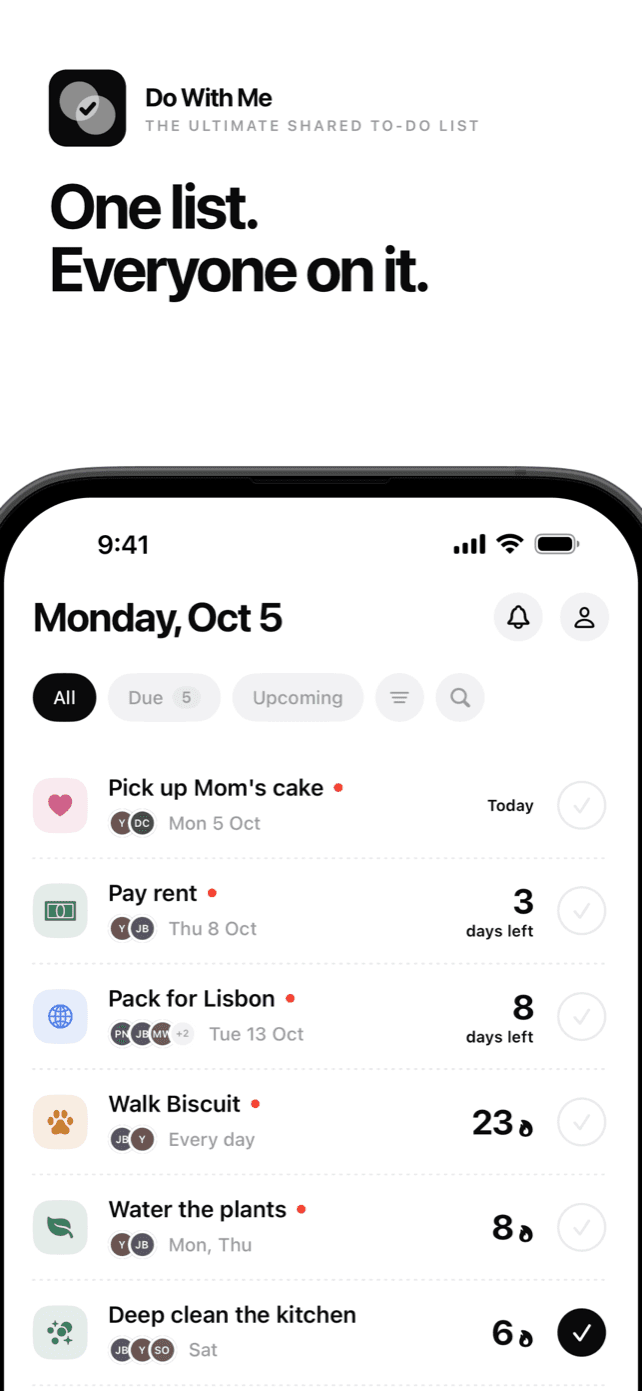
One list. Everyone on it.
Do With Me is a to-do list you share with the people you actually do things with: the person you live with, your family, your roommates, the friends you are travelling with. Pay the rent, pick up the cake, walk the dog. Everyone sees the same list, and everyone can see who has done their part.
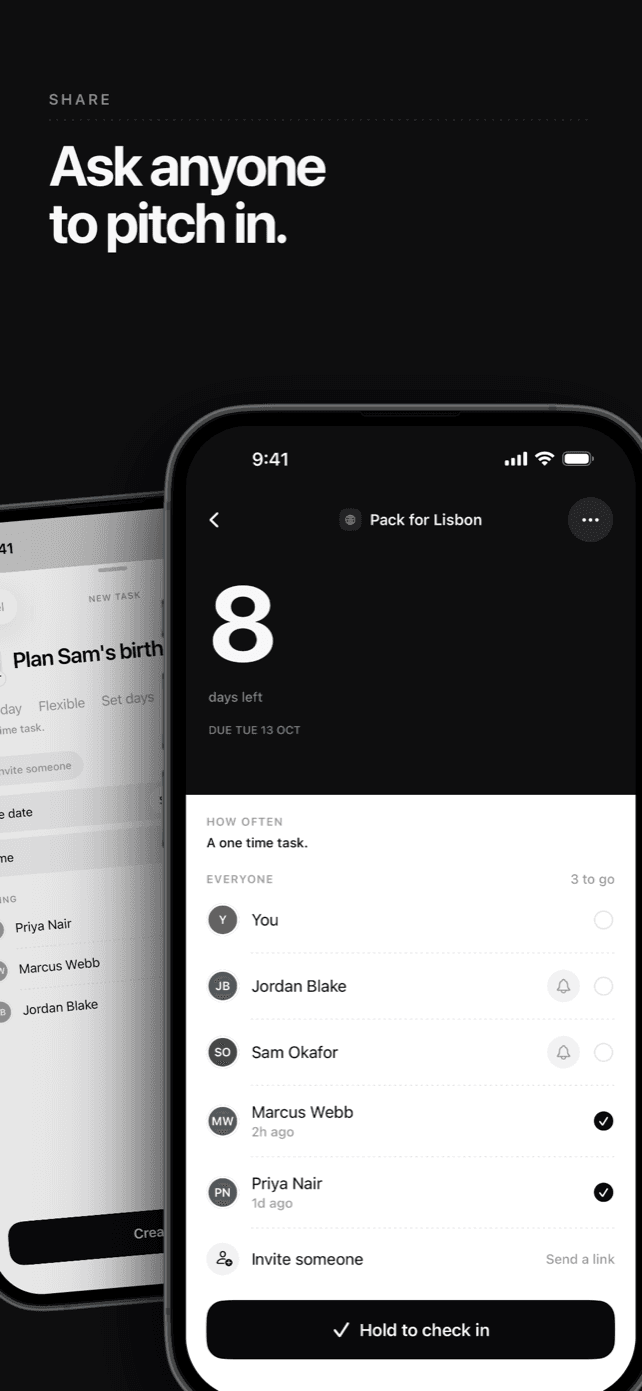
Share any task
Ask anyone from your contacts to pitch in. The task shows up on their list too, and when someone ticks it off, you see it.
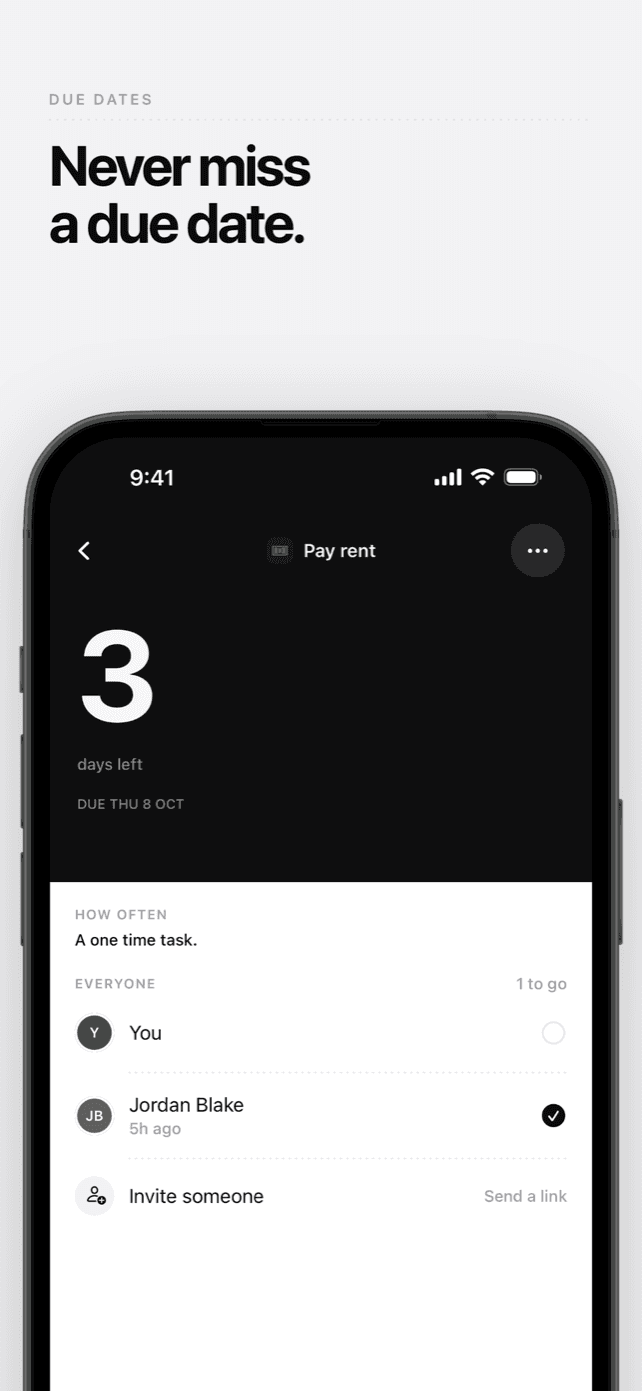
Due dates
Give a task a due date, and a time if it needs one, and it counts down the days.
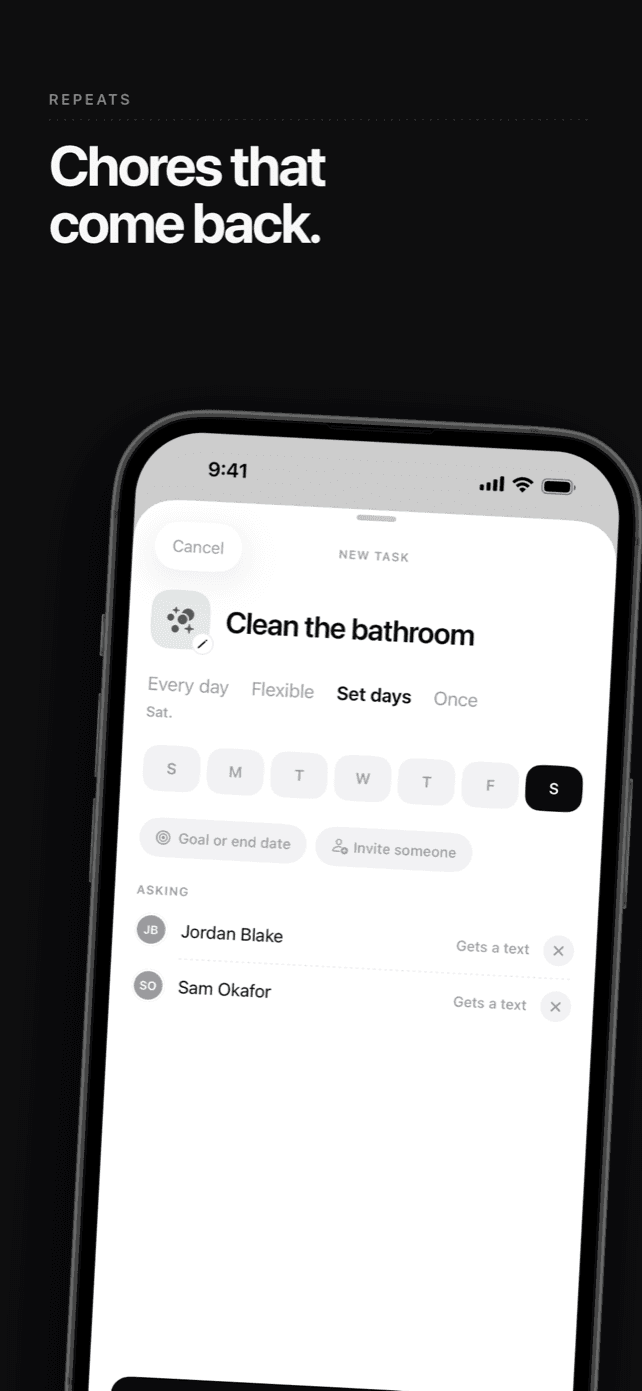
Chores that come back
Repeat a task every day, on the days you pick, or a few times a week.
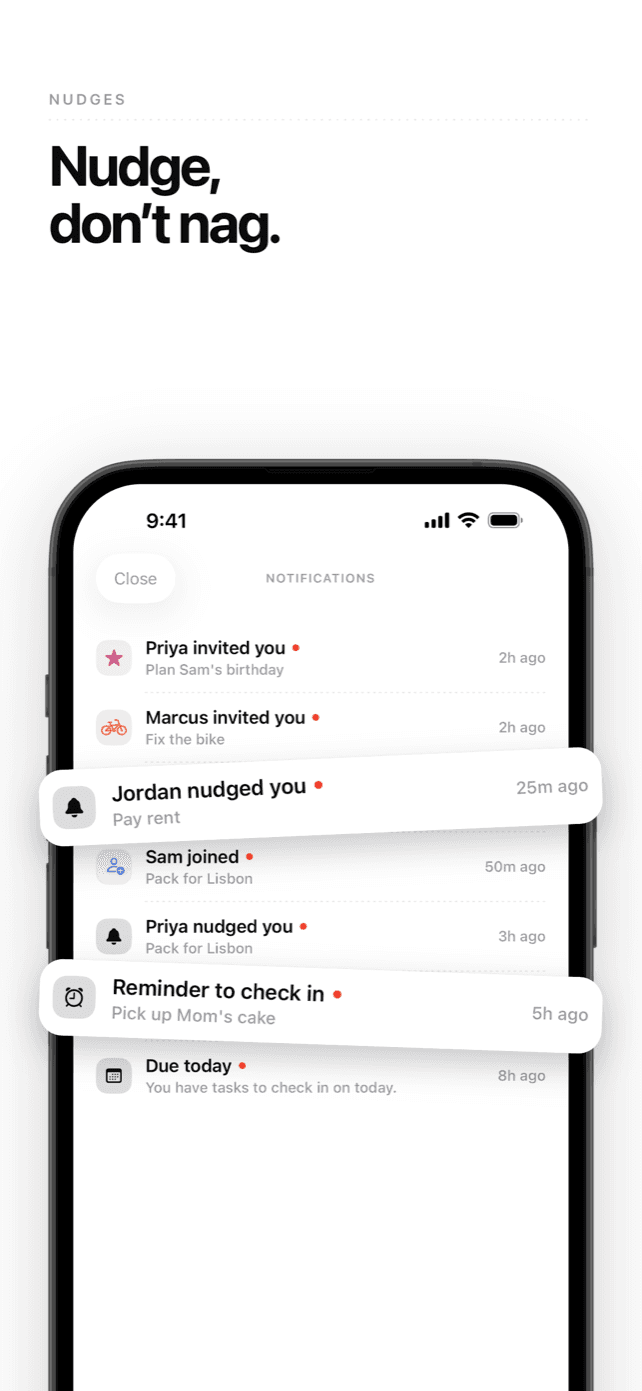
Nudge, don't nag
One tap reminds someone a task is waiting on them. Reminders, a summary of what is due today, and every nudge and invitation in one place.
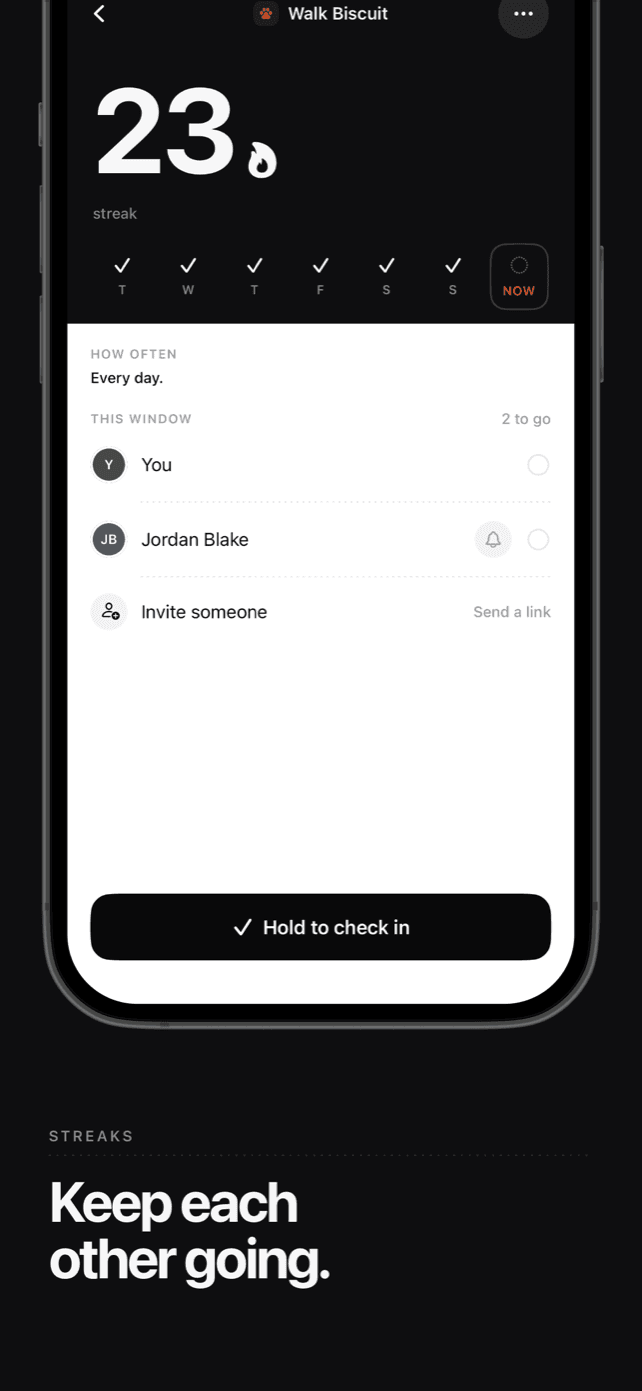
Keep each other going
A repeating task keeps a streak everyone in it holds together.
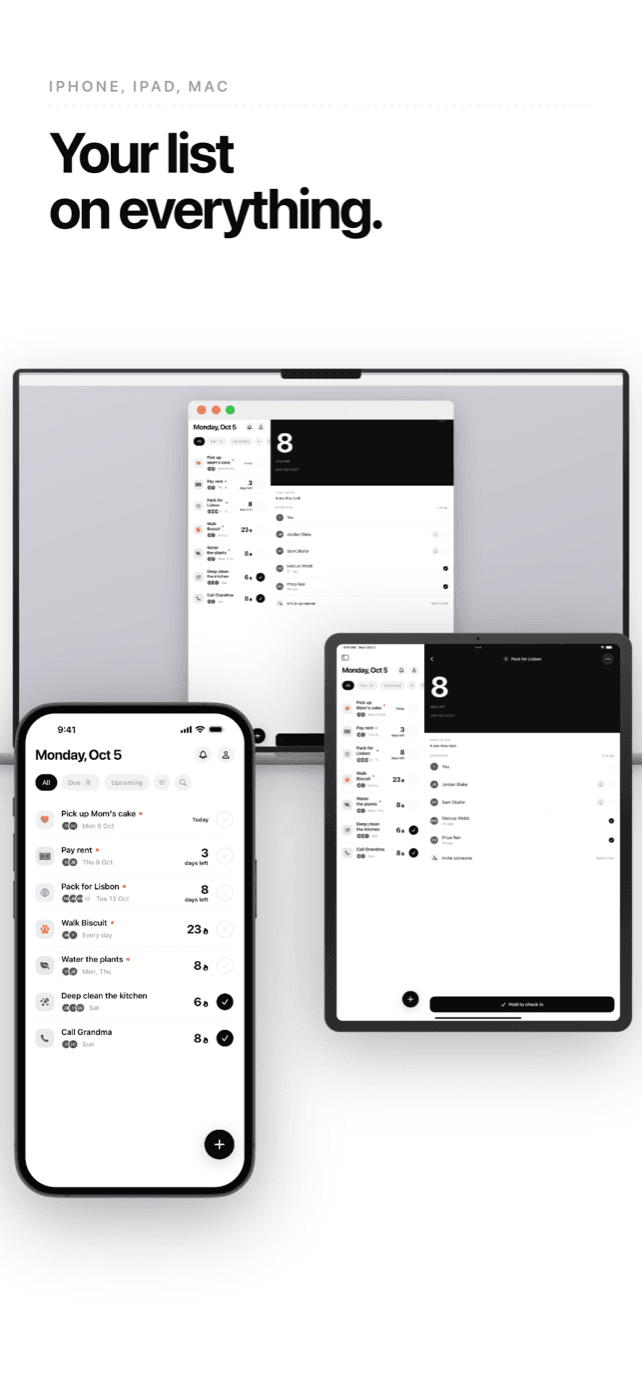
On everything
The same list on iPhone, iPad and Mac.
How we use SMS
Do With Me Account Verification is the only SMS program PRPL Solutions Inc. operates for this app. It sends a one-time code that proves a phone number belongs to whoever typed it. It is transactional, it is one message per request, and it is the only text the app sends.
You opt in by typing your number
The first screen offers Sign in with Apple, or Continue with SMS. Choosing SMS asks “What is your number?”, under the line “We will send an SMS code to this number for verification.” Beneath the field it reads: “By continuing you consent to receive an automated one-time verification code from Do With Me at this number. Message and data rates may apply. Message frequency varies. Reply HELP for help, STOP to cancel.” Nothing is sent until you enter your own number and tap Continue.
What arrives
“Your Do With Me OTP verification code is: 123456. This code expires in 10 minutes. Sent by Notify.” No links and no attachments. The wording is AWS End User Messaging's own template for verification codes, which is why it names Notify at the end.
How often
Once per request. Another code cannot be asked for within a minute of the last, and a code expires ten minutes after it is sent. A typical account receives one message, ever.
How to stop
Text HELP for help, or STOP to cancel. Every code is also one somebody asked for by typing that number into the app, so there is no list to come off: stop asking and nothing arrives. If codes reach a number that is not yours, write to [email protected]. Message and data rates may apply, and message frequency varies.
What we keep
The SHA-256 hash of the number, and a hash of the code until it is used or expires. The number itself is held in memory only long enough to address the message.
Support
Do With Me is made by PRPL Solutions Inc. in Calgary, Alberta. Need help or have a question? We are here.
FAQ
- Why does it want my phone number?
- So the person who asks you can find you, and so an invite sent to your number reaches you rather than sitting unclaimed. Signing in with Apple instead is offered on the first screen, and the app works either way.
- What happens to the number?
- Your phone turns it into a standard international form, hashes it with SHA-256, and sends only the hash. Contacts are matched the same way. The digits themselves are held just long enough to address the verification message, and are never written down.
- How many messages will I get?
- One, when you ask for a code. Asking for another is limited to once a minute, and a code is good for ten minutes. There is no marketing, no newsletter and no promotional message of any kind — the only text Do With Me ever sends is a code you asked for.
- How do I stop them?
- Text HELP for help, or STOP to cancel. There is also nothing running to unsubscribe from: a code is only ever sent because somebody typed that number into the app and asked for one, so stop asking and nothing arrives. If codes are reaching a number that is not yours, write to [email protected]. Message and data rates may apply, and message frequency varies.
- How do invitations reach people?
- From your own phone. Do With Me opens Messages with a link to the task, addressed to whoever you picked, and you send it yourself. You can also share the link any other way. Do With Me never texts your contacts.
- Does everyone see who is in a task?
- Everyone in a task sees who else is in it and who has done their part. That is the point of it. Nothing about your other tasks is visible to them.
- Can I leave, or take somebody out?
- Anyone can leave a task. The person who made it can remove anybody but themselves. What people already did stays in the task's history, and the task carries on for whoever is left.
- What does it cost?
- Do With Me is free to use. Extra themes and restoring a broken streak are optional in-app purchases.
Ready to give us a shot?
Don't keep your growth waiting any longer. Let's build something great together.